You start the day with a list of unfinished tasks. Some have been waiting for days, others have just arrived, and suddenly a request comes in that seems urgent.
You get to work, deal with several issues and, by the end of the day, feel as though you've been busy nonstop. Yet the thing you really needed to move forward is still unfinished.
It's a familiar situation. Often, the problem isn't how much work there is, but how hard it is to decide what deserves our attention first.
Prioritizing isn't about doing more tasks. It's about knowing which ones to do first.
1. Before organizing, decide what matters
A task list doesn't always reflect the importance of each item. It's easy to start with what's simplest, what arrived most recently or what someone has just reminded you about.
But an urgent task isn't necessarily an important one.
Imagine you're preparing to launch a website. You need to review some copy, fix a minor visual detail and resolve an error that prevents people from submitting a contact form.
All three tasks need attention, but their impact isn't the same. The form error could be preventing customer enquiries from coming in, while the visual adjustment can probably wait.
Before deciding where to start, ask yourself three questions:
- Which task has the greatest impact? Think about the consequences of completing it or leaving it unfinished.
- Which commitments have an approaching deadline? An agreed delivery date may need attention before other improvements.
- Is someone waiting to continue their work? Unblocking a teammate may be more valuable than moving several individual tasks forward.
Answering these questions helps you set priorities deliberately instead of relying on instinct alone.
2. Use priority levels everyone on the team understands
Not every task needs the same level of attention. Classifying tasks by priority makes it easier to spot which need an immediate response and which can wait.
A simple four-level scale is often enough for many teams:
- Urgent: needs immediate attention because of a serious problem or blocker.
- High: has a significant impact and should be addressed soon.
- Medium: is part of normal work and can be scheduled.
- Low: is worth doing but can wait without major consequences.
What's most important isn't the label on each level, but having a shared understanding of what it means.
If every task is marked urgent, the classification stops being useful. And if everyone interprets priorities differently, it's difficult to know what the team truly needs.
A good habit is to revisit priorities when circumstances change. Something that could wait yesterday might be blocking a delivery today.
Priorities should help us make decisions, not become permanent labels.
3. Prioritizing and ordering aren't quite the same thing
There's an important difference between knowing which tasks matter most and deciding the order in which you'll tackle them.
Two tasks can both have high priority but still need to be done in a particular sequence.
For example, you might need to prepare a document for a colleague to review before returning to a technical task that's also important.
Both tasks keep their priority, but their place in the work sequence reflects a specific need.
That's why it's helpful to combine two approaches:
- Shared priorities: let everyone on the team understand the importance of each task.
- Work order: lets you arrange the sequence in which tasks will be tackled.
You don't always need to change a task's priority to move it higher up your list.
Keeping this distinction clear avoids confusion and lets you adapt your daily work without constantly changing the team's agreements.
4. Keep unfinished tasks visible and completed ones out of the way
As a project progresses, completed tasks pile up.
Keeping them matters: they represent work already done and help explain how the project has evolved. But when they're constantly mixed in with unfinished tasks, the board can become harder to read.
Visually separating completed work from unfinished work helps you focus on what still needs attention.
One simple option is to collapse completed tasks when you don't need to look at them.
That way, you keep the history of the work without letting it take up the same visual space as active tasks.
The goal isn't to hide what's been achieved, but to reduce clutter so you can find what needs doing sooner.
5. How to organize your priorities in Mopux
Mopux lets you put these ideas directly into practice when organizing your projects and tasks.
Set a priority for each task
You can assign different priority levels to tasks to show which ones need more attention.
That makes it easier to identify important issues within a project and share that information with the rest of the team.
You don't need to flag every task. What matters is using priorities consistently.
Put tasks in the order you need
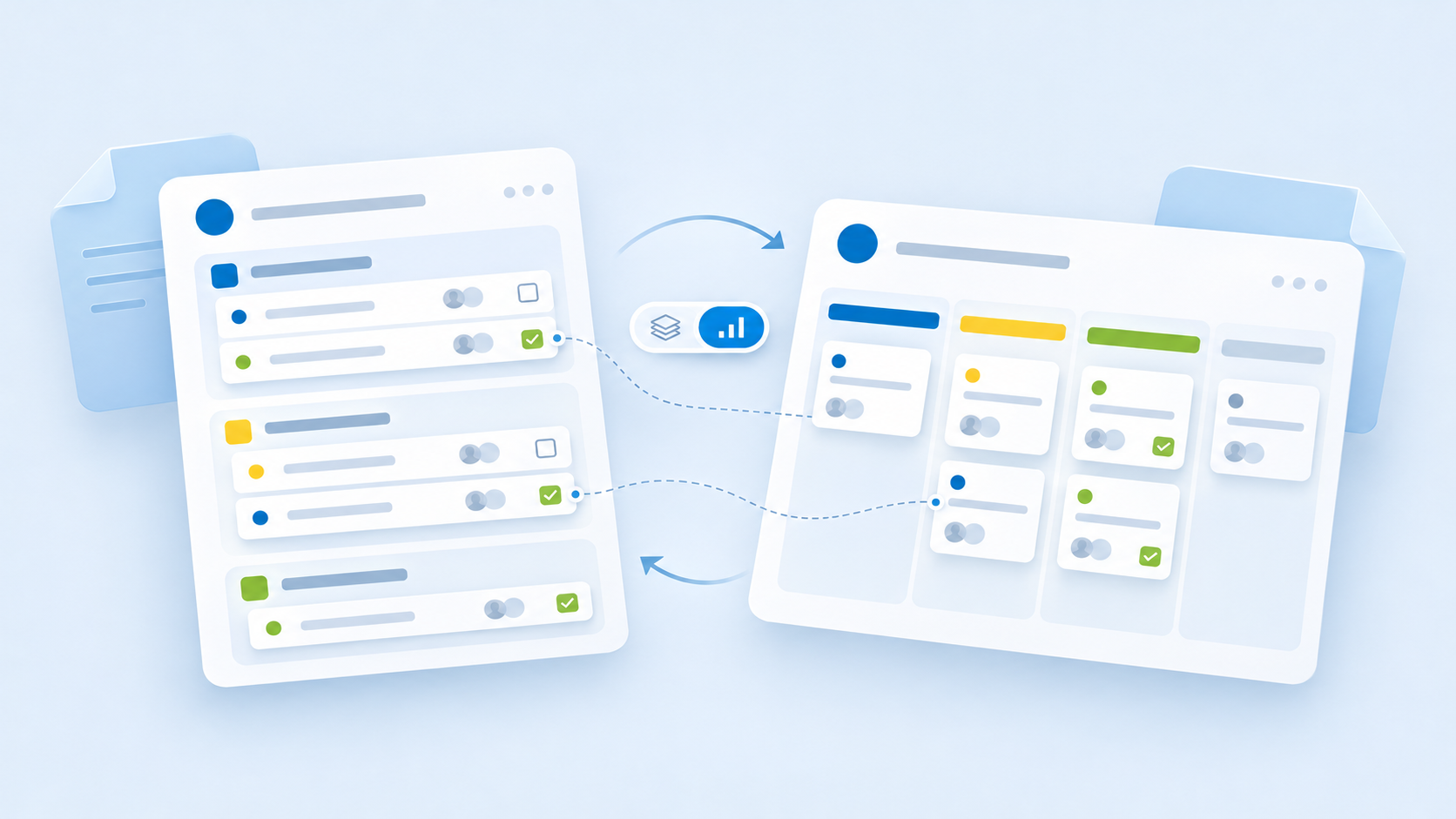
As well as setting priorities, you can manually reorder tasks to match the way your team plans to work.
Mopux supports both shared organization and a personal task order, so you can distinguish the project's overall needs from your own working sequence.
For example, you can keep a task at high priority while deciding to finish another task it depends on first.
Reduce clutter from completed tasks
When a group has lots of completed tasks, you can collapse them to make the remaining work more prominent.
This makes the board easier to browse while still keeping past work available when you need to review it.
These tools don't decide what's important for you. They help turn that decision into a clear, visible way of working.
6. Spend five minutes reviewing your priorities
You don't need to reorganize the entire project every morning.
A small habit can be enough to keep work under control:
- Review your unfinished tasks.
- Identify the ones with the biggest impact or an approaching deadline.
- Check whether any are blocking someone else's work.
- Adjust the order in which you'll tackle them.
- Move completed tasks out of the way visually so you can focus on what's left.
You can also do this review as a team at the start of the week or whenever project goals change.
The important thing is that priorities reflect today's situation, not simply the order in which tasks were created.
Working with clarity starts with knowing what to do first
Writing down every task is a good start. But a list alone doesn't help you decide.
Setting priorities, ordering your work and separating unfinished tasks from completed ones are small habits that can make everyday organization much easier.
At Mopux, we believe project management tools should make these decisions easier, not add extra steps and complexity.
Because working better doesn't always mean doing more. Often, it means knowing more clearly what to do next.
 Mopux teamMore ideas for your team ↗